 By Awais Tahir, Founder of WhizTurn · Updated 20 Nov 2026
Google Business Profile for Non-Medical Home Care Agencies: Benefits and Risks
When a family starts looking for help with everyday care for an aging parent, they may turn to Google before contacting an agency. They might search for home care services in their city, compare nearby providers, read reviews, or look for a phone number to speak with someone.
For a non-medical home care agency, being easy to find online can make that first step simpler.
One tool that can support this process is Google Business Profile. It allows eligible businesses to manage how their information appears across Google Search and Google Maps.
But is having a Google Business Profile really necessary for a non-medical home care business? What are the benefits, what are the potential drawbacks, and what happens if your agency does not have one?
Let’s look at how it works and why it deserves attention as part of your local marketing strategy.
What Is Google Business Profile?
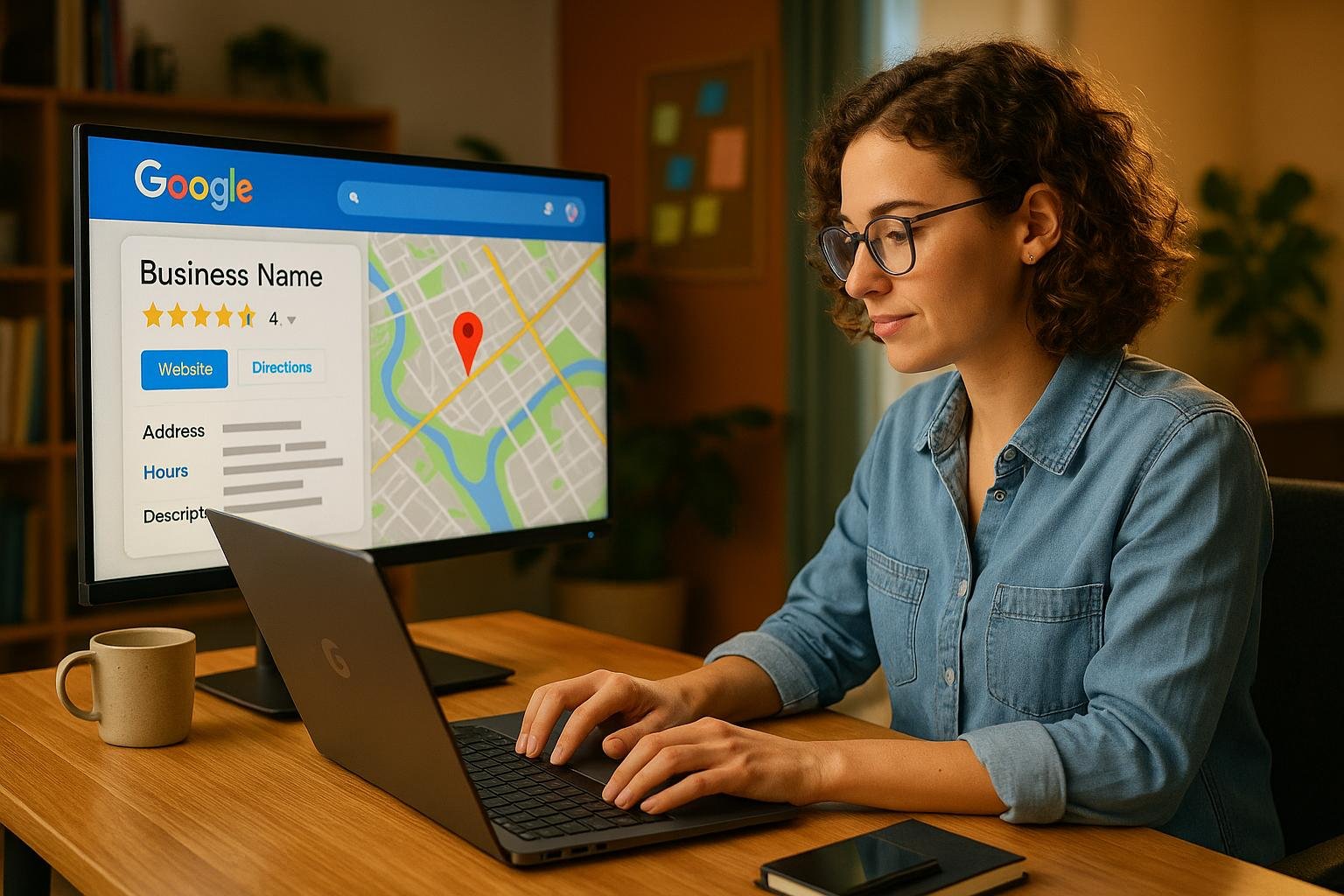
Google Business Profile is Google’s free business listing tool. It helps eligible businesses display information such as their business name, phone number, website, hours, services, customer reviews, and service area in Google Search and Maps.
For a non-medical home care agency, this information can help families understand what the business offers and how to get in touch.
It is important to understand the distinction between non-medical home care and medical home health care. Non-medical home care generally focuses on assistance with activities such as companionship, personal care, meal preparation, and daily living support, depending on the agency’s actual services. Medical home health providers may offer skilled clinical services subject to different requirements.
Your Google profile should accurately describe the services your agency really provides. Do not use medical terminology, categories, or claims that misrepresent your business.
Why Does a Non-Medical Home Care Agency Need a Google Business Profile?
Families often want clear answers before they contact a care provider. They need to understand whether an agency serves their area, what kind of help it offers, and how to speak with someone.
A properly managed Google Business Profile can make essential business information easier to find.
For home care businesses that travel to clients’ homes, a service-area profile may be appropriate even when families do not visit the agency’s office. Eligibility and address settings must follow Google’s current guidelines.
The profile is not a replacement for your website. Instead, it gives potential clients another way to discover and evaluate your agency.
1. Improve Local Visibility on Google
One of the main benefits of Google Business Profile is the opportunity to appear in relevant local results on Google Search and Maps.
For example, a family may search for phrases such as:
- Non-medical home care near me
- In-home care services in a particular city
- Companion care for seniors
- Personal care assistance in their area
The results shown depend on the search, location, and other factors. Google describes local ranking in terms of relevance, distance, and prominence.
A complete, accurate profile can help Google understand what your business does and which searches may be relevant. However, creating a profile does not guarantee a top position or inclusion in the local results.
For an agency trying to reach families in a specific service area, that visibility can be an important part of local marketing.
2. Help Families Find Your Contact Information
When someone is researching care options, having to search through several pages just to find a phone number can create unnecessary friction.
A Google Business Profile can make important details easier to access, including your agency’s website, phone number, hours, and service information.
That helps interested families take the next step when they are ready to ask questions.
Make sure your details match the information on your website. Keep your phone number, business name, and hours accurate, and clearly explain the communities your team serves.
The easier it is for a family to understand how to contact your agency, the clearer the path from online discovery to an initial conversation.
3. Build Trust Before the First Phone Call
Choosing a home care provider is a personal decision. Families may be looking for someone who can support a parent or loved one, so they often want reassurance that an agency is legitimate and communicates clearly.
A complete profile gives people more information to assess before making contact.
Depending on your profile, this may include:
- Accurate business information.
- A link to your website.
- Relevant photographs of your team or workplace.
- Customer reviews and your responses.
- Clear information about the services you provide.
Reviews can help families understand other customers’ experiences, but they should be genuine. Never buy reviews, create fake testimonials, or offer incentives in exchange for positive feedback.
If a family leaves a review, respond professionally without revealing private client information. Home care businesses should be particularly careful about confidentiality.
4. Explain Your Non-Medical Services Clearly
Families may not always understand the difference between non-medical home care, skilled home health care, and other senior support services.
Your profile should help make that distinction clear.
Describe only services your agency actually offers. Depending on your operations, these might include companionship, help with daily activities, respite support, meal preparation, or personal care assistance.
Do not list a service just because you want to appear for another keyword.
Choose the most accurate primary business category available in Google’s category list, and add only relevant categories where appropriate. The correct category depends on the nature of your agency and the options available in your region.
Clear service descriptions help set realistic expectations before families contact you.
5. Reach Families in Your Actual Service Area
Many non-medical home care agencies serve clients at their homes rather than receiving visitors at their own offices.
Google supports eligible service-area businesses. If your agency does not serve customers at its business address, Google’s guidance says the address should be hidden from customers and the profile should represent the real service area.
This is important for agencies that operate from a legitimate office or home base but send caregivers to clients.
Set the areas you genuinely serve. Do not use a virtual office, a false address, or several duplicate profiles to try to appear in additional locations.
If you operate multiple genuine locations, each location must meet the applicable eligibility rules.
Accurate location information helps families understand where your agency can provide care and reduces confusion about whether you serve their community.
Benefits of Google Business Profile for Non-Medical Home Care Businesses
Here are the main advantages of maintaining a complete and accurate profile.
Better local discovery: Eligible profiles can appear in relevant Google Search and Maps results, giving families another way to find your agency.
Easier contact: Families can access your phone number, website, hours, and other important details without having to search extensively.
More opportunities to build credibility: Genuine reviews, accurate information, and relevant photographs help potential clients assess your business.
Clearer service-area information: Families can see which areas your agency serves, provided the profile is configured correctly.
A useful local marketing asset: Your profile can complement your website, local service pages, referral relationships, and other marketing activities.
No profile subscription fee: Google Business Profile is free to use, although managing it takes staff time and other marketing activities may involve costs.
These benefits are opportunities, not guaranteed results. The impact depends on your market, competition, profile accuracy, reputation, and overall marketing strategy.
Pros and Cons of Google Business Profile
| Pros | Cons and considerations |
|---|---|
| Free business listing | Requires ongoing maintenance |
| Can support local Search and Maps visibility | Does not guarantee rankings or leads |
| Makes contact information easier to find | Incorrect details can confuse families |
| Provides a place for genuine customer reviews | Reviews need monitoring and professional responses |
| Can display service-area information | Eligibility and address rules must be followed |
| Supports other local marketing efforts | A profile alone cannot fix weak website content or poor intake follow-up |
The disadvantages are generally manageable if your agency follows Google’s guidelines and treats the profile as one part of its marketing system.
The goal is not simply to create a listing. It is to keep the information accurate and useful to the people who may need your services.
What Are the Disadvantages of NOT Having a Google Business Profile?
Not having a profile does not mean your website cannot appear in Google’s regular organic search results. Your website can still attract traffic through useful content, search optimization, referrals, and other channels.
However, there are some potential disadvantages.
1. You May Miss Relevant Local Search Opportunities
Without a profile you manage, you miss the opportunity to present and maintain your business information through Google Business Profile.
Eligible competitors with complete profiles may have an additional way to appear in local Search and Maps results.
How much this affects your agency depends on your location, competition, and the searches families actually perform.
2. Families May Have Less Information Available at a Glance
Without a managed profile, potential clients may have to rely more heavily on your website, directories, and other sources to find your contact details and understand your services.
If information across those sources is inconsistent or difficult to find, families may struggle to work out whether your agency is the right fit.
3. You Lose an Important Place to Manage Your Local Business Information
A verified profile gives eligible businesses a way to manage key information and respond to reviews. Without one, you lose that dedicated management channel.
Google may still show information about a business from other sources, so the absence of a profile does not necessarily mean your business will be completely absent from Google.
4. Your Local Marketing Efforts May Have a Missing Piece
A home care website, useful local service pages, genuine reviews, referral relationships, and a well-maintained Google Business Profile can support one another.
Not having a profile removes one potential part of that system.
It does not automatically mean your competitors will get every lead or that your ranking will fall. It simply means you are not making use of a local business profile when your agency is eligible for one.
How to Set Up Google Business Profile Correctly
If your agency is eligible, start with accurate business information rather than trying to optimize every possible field at once.
Step 1: Check Your Eligibility
Confirm that your agency operates from a legitimate business location or travels to customers at their physical locations. A virtual office or an address used only for mail is not sufficient.
Step 2: Use Your Real Business Name
Use the name by which your agency is genuinely known. Do not add extra service keywords or city names to the business name unless they are actually part of your real-world name.
Step 3: Select the Appropriate Category
Choose the most specific category that accurately describes your core business from the options Google provides. Do not select a medical category if it misrepresents your non-medical services.
Step 4: Set Your Address and Service Area Correctly
If families do not visit your location and you operate as a service-area business, follow Google’s instructions for hiding the address and identifying your actual service area.
Step 5: Complete Your Business Information
Add an accurate phone number, website, business hours, services, and other relevant information. Make sure these details agree with your website.
Step 6: Keep the Profile Updated
Review your information regularly. Add genuine and relevant photographs, respond professionally to reviews, and correct outdated details when your operations change.
For full eligibility and setup requirements, consult Google’s official Business Profile guidelines and local ranking guidance.
Common Google Business Profile Mistakes Home Care Agencies Should Avoid
Some shortcuts may create more problems than benefits.
Avoid these common mistakes:
- Adding keywords to the business name when they are not part of its real name.
- Using a virtual office or an address where the business does not actually operate.
- Displaying a residential or office address when a service-area profile should hide it.
- Creating duplicate profiles for the same business or location.
- Choosing categories that misrepresent non-medical services as medical care.
- Listing service areas the agency does not genuinely serve.
- Buying reviews or publishing fabricated client experiences.
- Leaving old phone numbers, incorrect hours, or outdated service information online.
Google can restrict or remove profiles that do not follow its guidelines, so accurate representation is more valuable than trying to manipulate visibility.
How to Measure Whether Your Profile Is Helping
Do not judge success by rankings alone.
Review the available profile performance data, such as customer interactions and website clicks, where those metrics are provided. You can also monitor relevant website visits, inquiry sources, calls, and how prospective families move through your intake process.
Ask a few practical questions:
- Are more relevant families discovering the agency?
- Are people visiting the website from the profile?
- Are inquiries coming from the areas you actually serve?
- Are prospective clients asking about services your agency offers?
- Can your team respond to those inquiries promptly?
Compare results over time rather than assuming that a change in visibility automatically produces more clients.
A profile is most useful when it supports a broader process for attracting, responding to, and serving suitable families.
Final Thoughts: Is Google Business Profile Worth It for a Non-Medical Home Care Agency?
For an eligible non-medical home care agency, Google Business Profile can be a valuable part of local marketing. It gives families another way to discover the business, review essential information, and find a route to contact the team.
Not having a profile does not prevent every kind of online visibility, but it means missing an opportunity to manage your business presence directly through this Google tool.
The best approach is to create or claim an eligible profile, represent the agency accurately, maintain trustworthy information, and connect it with a useful website and a reliable intake process.
Want to strengthen your home care agency’s local visibility?
WhizTurn helps home care agencies assess their online presence and identify practical opportunities to improve marketing and growth.
Visit WhizTurn to explore ways to strengthen your agency’s online visibility and customer acquisition strategy.